

Download Picture Cutout Guide – Photo Cutout, Image Editing, Cutout Tool, Image Isolation, Photo Editing App
Overview
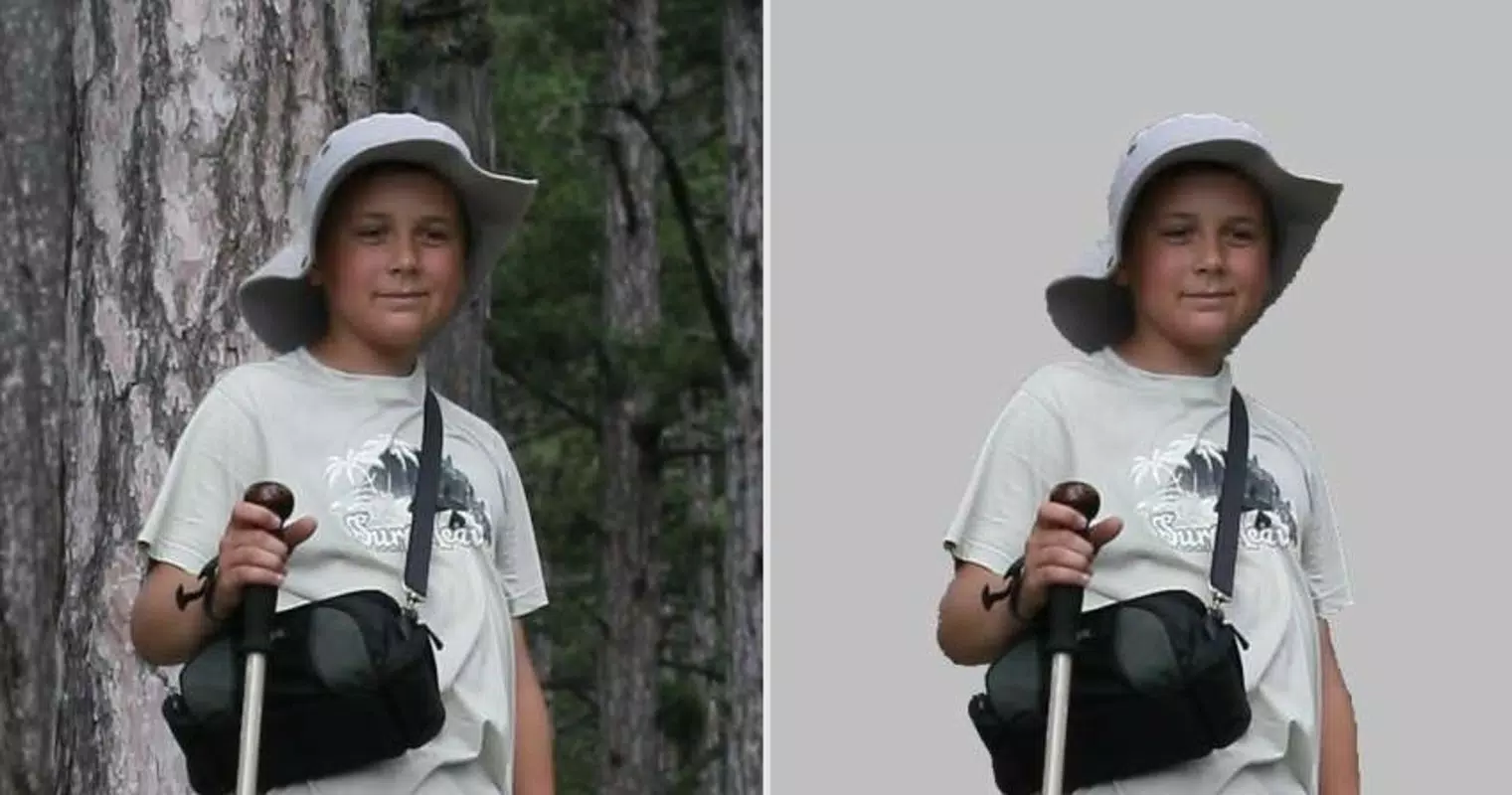
Picture Cutout Guide is a productivity-focused mobile application designed to simplify the process of isolating subjects within digital photographs. Its primary purpose is to enable users to extract specific elements from images with minimal effort, making it ideal for individuals who require quick, high-quality cutouts for creative projects, social media content, or personal editing tasks. The app targets both novice users and hobbyists who may lack advanced photo editing skills but still seek professional-looking results. By focusing on a streamlined workflow, Picture Cutout Guide addresses the common frustration associated with complex editing software that demands technical knowledge and time investment.
The app is developed by Jason A. Bilbrey, a creator with a documented release date of June 29, 2015, indicating a long-standing presence in the mobile editing space. While no additional background about the developer is provided, the app’s consistent focus on usability suggests a user-centric design philosophy.
Real-world use cases include preparing images for digital scrapbooking, creating custom graphics for presentations, or removing backgrounds for e-commerce product photos. In the broader app ecosystem, Picture Cutout Guide occupies a niche as a specialized tool that fills a gap between basic image viewers and full-featured photo editors. Its existence underscores the growing demand for lightweight, purpose-built applications that deliver precise functionality without unnecessary complexity.
Key Features & Functionality
Picture Cutout Guide offers a suite of features tailored to simplify the image isolation process. The core functionality revolves around a guided three-step wizard, which walks users through the cutout process in a logical and intuitive manner. This structured approach reduces the learning curve and ensures consistent results, even for those with no prior editing experience. The user-friendly interface supports seamless navigation, allowing users to focus on creative decisions rather than technical execution. The app’s design emphasizes clarity and direct access to essential tools, minimizing clutter and distractions.
- User-Friendly Interface: The layout is clean and minimal, prioritizing ease of access to core tools. This design enables both beginners and experienced users to operate the app efficiently.
- Efficient Cutting Wizard: A step-by-step wizard simplifies the cutout process into three distinct stages: selection, refinement, and export. This structure ensures users do not miss critical steps.
- Versatile Effects Application: After isolating a subject, users can apply a range of visual enhancements to the cutout, allowing for greater creative flexibility.
- Quick and Effective Results: The app is optimized to deliver high-quality cutouts in a matter of minutes, significantly reducing editing time compared to traditional methods.
- Optimized for Photo Editing: Unlike general-purpose editing tools, Picture Cutout Guide is specifically engineered for image isolation, ensuring better performance and precision in this specialized task.
For example, a user preparing a social media post can select a subject, use the wizard to refine the edges, and apply a glow effect—all within minutes. This efficiency makes the app particularly valuable for content creators who need to produce multiple edited images quickly.
Interface, UX & Performance
The user interface of Picture Cutout Guide reflects a deliberate focus on simplicity and accessibility. The layout is clean, with clearly labeled buttons and a logical flow between steps. Navigation is straightforward, relying on a linear progression through the wizard, which minimizes confusion and supports intuitive operation. Visual cues are used effectively to guide users through each stage, enhancing the overall experience. The app’s design avoids unnecessary animations or complex menus, which helps maintain a steady performance across different device types.
Although the developer did not list formal performance metrics, the app’s lightweight size of 18.4 MB suggests efficient resource usage. This indicates potential for smooth operation on a wide range of Android devices, including those with lower-end specifications. Responsiveness appears to be a priority, as the app enables real-time feedback during the selection and refinement phases. Stability is likely maintained through consistent updates, though specific details on crash rates or update frequency were not provided. The app’s performance on older or newer Android versions remains unconfirmed, but its long-standing presence suggests a degree of compatibility and reliability.
Platform Compatibility & Technical Requirements
Picture Cutout Guide is available exclusively on the Android platform. The current version is 1.0, with a file size of 18.4 MB. This compact size indicates that the app is optimized for efficient installation and minimal storage usage.
While the developer did not specify minimum OS requirements or device compatibility details, the app’s long release history suggests it supports a broad range of Android versions. However, users should be cautious when installing on older devices, as performance may vary without official confirmation. The app is offered at no cost, making it accessible to a wide audience seeking a free image editing solution.
No additional permissions or hardware requirements were disclosed.
Pros and Cons
Pros
- Free to download and use, making it accessible for budget-conscious users.
- Simple, guided workflow ideal for beginners and non-technical users.
- Lightweight design with minimal storage footprint.
- Specialized focus on image isolation, ensuring better results than general editors.
- Fast processing time, enabling quick turnaround for editing tasks.
Cons
- Specific OS version requirements were not listed.
- No information on update frequency or long-term support.
- Limited to Android platform; no iOS availability confirmed.
- Advanced editing features not detailed in the provided information.
- Developer background and company details were not disclosed.
FAQ
Is Picture Cutout Guide safe to download?
The app is available through official Android channels and has been released by its developer since 2015. As with any app, users should ensure they download from trusted sources to maintain security.
Can I use Picture Cutout Guide on iOS devices?
Currently, the app is only available for Android. There is no confirmed iOS version or release timeline.
Does the app require internet access?
Based on the available information, the app functions offline. No cloud processing or connectivity is required for core features.
How often is the app updated?
The developer did not provide details on update frequency. Users are advised to check the app store for the latest version.
Is the app suitable for professional use?
While designed for ease of use, the app may be suitable for light professional tasks such as quick background removals or social media content creation. However, advanced editing needs may require more robust tools.
Final Thoughts
Picture Cutout Guide stands out as a focused, efficient tool for users seeking to isolate subjects in photos without the complexity of full-featured editors. Its guided workflow, lightweight design, and free access make it a compelling option for hobbyists, content creators, and anyone needing quick, reliable cutouts. While it lacks detailed information on compatibility and updates, its long-standing presence in the Android ecosystem speaks to its stability and user value. For those looking to enhance their mobile editing experience with a simple, effective solution, this app delivers on its core promise. Download Picture Cutout Guide now.


